
Increasing student engagement in remote and hybrid learning
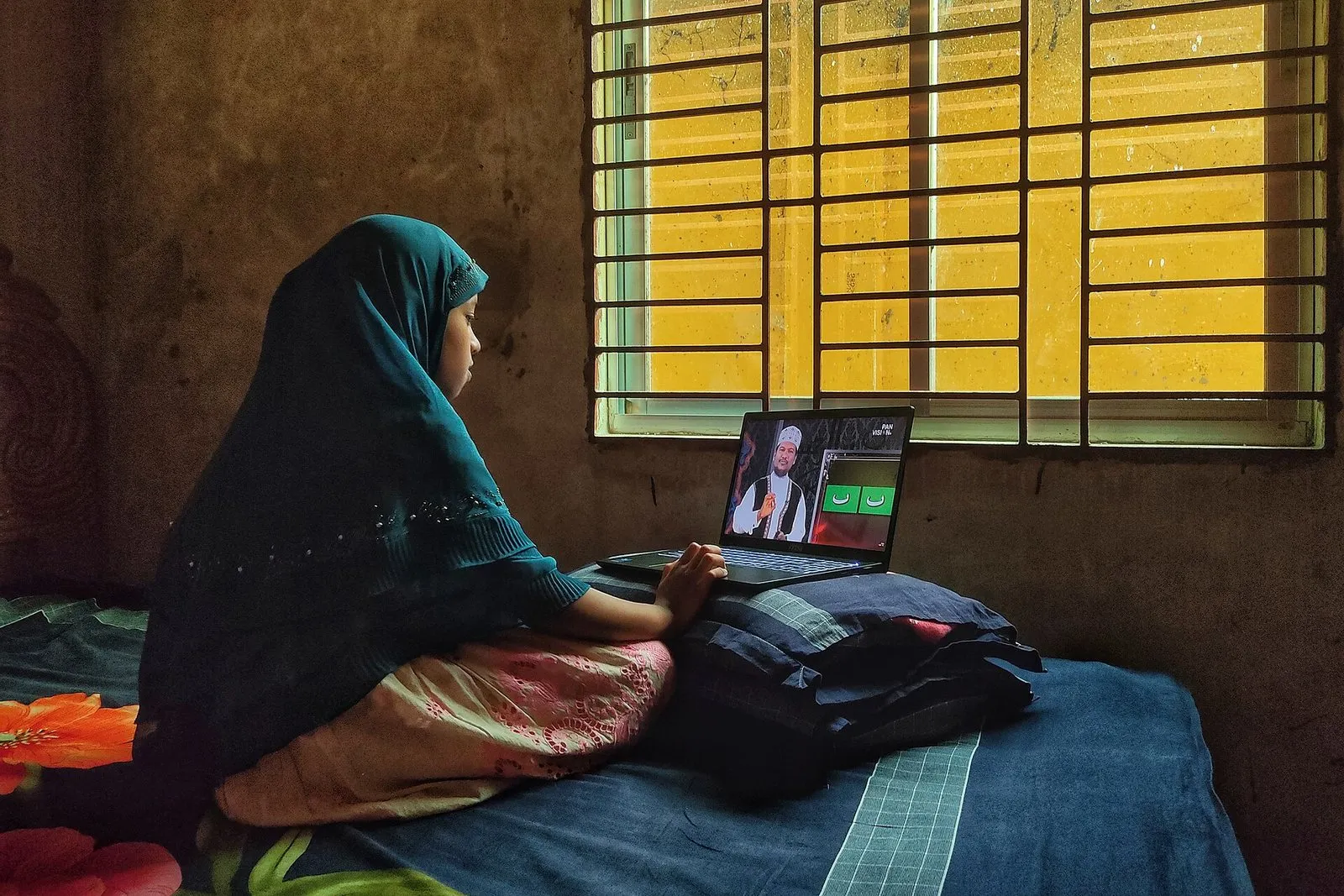
Cameras off, microphones muted, and a question you asked that nobody answers. Almost every teacher who has taught online knows this scene. What you pick up from students’ faces in a classroom is much harder to read through a screen. Most of us respond by explaining even more. But in remote and hybrid teaching, engagement does not arrive automatically as the result of a good explanation. It has to be deliberately built into the design of the lesson.
A framework that has been used in distance education for a long time says students experience three kinds of interaction: with the content, with the teacher and with other students. In a face-to-face classroom all three happen largely by themselves. A topic discussed during the break, a question asked to the classmate at the next desk, a quick bit of feedback from the teacher in the corridor after class. Online, none of these happens unless it is planned. Looking at what you do for each of the three as you prepare a lesson is a good starting point for increasing engagement.
Designing engagement in live lessons
One of the most effective changes in live lessons is to break long stretches of explanation into short chunks and to place a moment at the end of each chunk where students have to do something. That moment can be very simple. Typing a one-word answer in the chat, responding to a quick poll, marking something on an image on the screen, or being asked to “write down one point you are not sure about.” When students know something will be expected of them as the lesson moves on, it is easier for them to stay focused.
The first minutes of a lesson matter more than they seem. Instead of diving straight into the topic, opening with a question anyone can easily answer, such as something they remember from the previous lesson or an everyday experience related to the topic, gets students talking in that lesson. A student who has not made a sound in the first five minutes is much less likely to speak up halfway through.
There is a tension around cameras that I often see in the field. Teachers want to see their students, and students, for various reasons, do not want to switch their cameras on. Some do not want to show their home, some have a weak connection, and some feel uncomfortable being watched all the time. Rather than making cameras compulsory, recognizing different ways of participating tends to work better. Writing in the chat, using reactions, contributing to a shared document or speaking up are all participation. What matters is that students have more than one way to show they are part of the lesson.
Small-group work is the strongest tool for student-to-student interaction online. But sending groups off with nothing more than “discuss this topic” often ends in a few minutes of silence. To get something out of group work, the task needs to be clear, time-limited and the kind that produces something. Filling in a table in a shared document, proposing three different solutions to a problem, or examining a case through specific questions are good examples. Giving group members roles such as facilitator, note-taker and spokesperson also greatly reduces silent starts.
A large part of remote learning happens outside the live lesson, asynchronously. Here too, design is what drives engagement. Rather than sharing one long lesson recording, splitting the topic into short videos with a small task after each one increases students’ interaction with the content. In discussion forums, questions that ask students to make a decision, find an example or add something concrete to a classmate’s answer produce far livelier discussions than general prompts like “share your thoughts.”
How visible the teacher is also has a direct effect on engagement online. Starting the week with a short announcement or video message, giving timely feedback on students’ work and joining forum discussions now and then makes students feel there is a real teacher on the other side. When students know their work is seen, they are more willing to put effort into it.
Turning two classrooms into one in hybrid lessons
Hybrid lessons, where some students are in the room and others are online, bring a new challenge. The teacher’s attention naturally goes to the students in front of them, and online students can quickly turn into spectators watching the lesson from outside. A few points help increase engagement in these lessons:
- Prioritize audio. If online students cannot hear questions from the room, always repeat the question.
- Now and then, start with the online students when you invite answers.
- Include an online student in each group in the room, or let online students form their own group.
- Ask a student in the room to keep an eye on the chat and pass on questions from online classmates.
- Share what you write on the board in a common digital space as well.
All of these aim at the same thing: making online students feel like equal members of the class. Thinking of a hybrid lesson as one class reached through two channels, rather than two separate classes to manage, makes planning much easier.
Keep in mind which devices and conditions your students are joining from. Some may be following the lesson on a small phone screen, from a room shared with siblings, or on a limited data plan. Preparing simple slides that are readable on a phone, sharing important information in writing as well as out loud, and turning on captions where possible make it easier for these students to take part. Remembering that low engagement is not always a sign of lack of interest also changes how you approach the student.
Technical preparation should be seen as part of engagement too. If the first ten minutes of a lesson go into fixing audio problems, getting students’ attention back is very hard. A quick check before the lesson, sending the link and materials to students in advance, and sharing a recording or summary for students who had connection problems all remove unnecessary barriers.
I also recommend regularly asking students a few short questions to keep track of engagement. Finding out which part of the lesson they struggled with and which activity helped them most will be the most valuable information you have when you design the next lesson. In remote and hybrid teaching, a good lesson is one that takes shape over time together with your students.
See you soon.
Image: Emrancitrok, CC BY-SA 4.0, Wikimedia Commons.