
What to look for when choosing digital games for preschool children
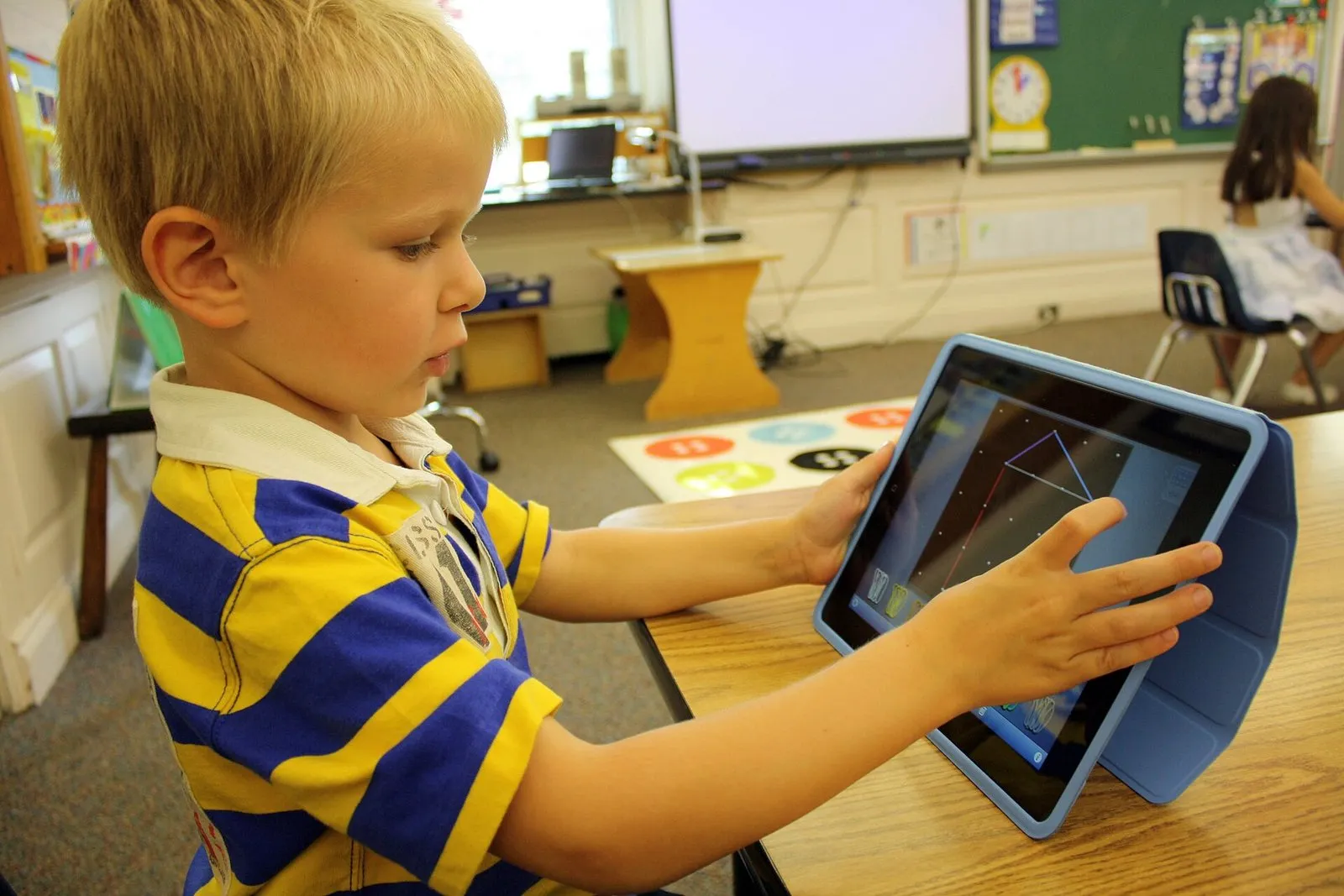
Search an app store for “educational games for kids” and you get thousands of results. Bright icons, smiling animals, bold claims such as “boosts intelligence”. Finding the one that really suits a preschool child among so many options is not easy, for parents or for preschool teachers. In this post I want to share the points you can check before you download a game or bring it into the classroom.
It is worth saying one thing up front. Children between three and six learn about the world mostly by touching, moving, talking and playing with others. The World Health Organization also recommends keeping sedentary screen time limited for this age group. So at this stage digital games are a tool at the edge of the picture, not at its centre. The question should be less “how long should my child play?” and more “what should they experience in the short time they do play?” That is why the quality of the game you choose matters as much as the time spent on it.
The first thing to look at is whether the game fits the skills of this age. Most preschoolers cannot read yet. A game that gives instructions in text or uses written menus leaves the child constantly dependent on an adult. A well designed preschool game guides children with voice, visual cues and demonstrations. The child should be able to work out what to do from the game itself.
Fine motor skills are another important criterion. Small buttons, movements that require precise dragging, or interactions that need two fingers at once are hard for this age group. Look for an interface where the things the child touches are large and accidental taps do not break the game. It is also a good sign when settings, the store and links to other apps are kept somewhere the child cannot easily reach.
Pay attention to the pace of the game. Some games try to hold a child’s attention with constantly flashing lights, effects that burst one after another and music that never stops. That intensity may look like engagement at first glance, but it leaves no room for thinking. Calm games without time pressure, where children can move at their own speed, are far more suitable in the preschool years. If your child seems restless and tense after putting a game down, its pace is worth a second look.
What does it teach, and how?
The label “educational” tells you very little on its own. To find out whether a game really teaches anything, look at what the child actually does in it. One group of games only asks the child to tap the right answer and collect a reward. Drill games like these, introducing letters, colours or numbers, may have a limited place, but they do little to support thinking, trying things out and discovering.
I suggest choosing games that give children room to make and to experiment instead. Games where they can build things, combine objects in different ways, put a story together themselves or solve a problem by more than one route are much closer to the way this age group learns. In open-ended games like these there is no single right answer, and children can try without being afraid of getting it wrong.
The way feedback is given matters too. Games that play a loud “wrong” sound after a mistaken tap, reacting almost as if they were punishing the child, easily frustrate young children. A good preschool game meets mistakes gently and shows the child a way to try again. In the same way, games that throw an over-the-top celebration after every correct answer can shift the child’s attention from the activity to the reward.
Think also about whether the game lets the child connect its content to real life. A game that counts the fruit in a kitchen, introduces the animals in a park or sorts household objects by shape opens the door to conversations that can continue after the screen is off. Trying to find something from the game in the real world is a very valuable bridge for children of this age.
I have written about ads and in-app purchases in more detail before, so here I only want to add a short note from the preschool angle. Children this age cannot tell an advert apart from content. An ad that pops up in the middle of a game looks to the child like part of the game, and it is often tapped by accident, taking them somewhere else entirely. In my view, an ad-free game should not be up for negotiation for a preschool child. A paid game without ads is usually a much better choice than a free one with them.
Play it yourself before you choose
The most practical advice I give to parents and teachers is to play the game yourself before handing it to a child. Fifteen minutes is enough. In that time you can see how the game guides the player, what kind of feedback it gives, whether you run into ads or purchase screens, and whether the game has an end. Games without an end, which keep saying “just one more”, are hard for young children to put down. Games with a natural stopping point that suit short sessions make life easier for both the child and you.
Here are a few questions you can ask yourself while playing:
- Can a child understand this game without reading?
- Is the child doing, trying or making something, or only tapping the right answer?
- Is the pace calm, and can the child move at their own speed?
- Are ads, purchases or external links within the child’s reach?
- When the game ends, is there something left to talk about with the child?
To me the last question is the most important. In the preschool years, digital games are used best when they are played together with an adult. Sitting next to your child and talking about what happens in the game, asking things like “where did the red balloon go?” or “how many would there be if we added one more?”, turns a solitary activity into a shared learning experience. These small conversations are also a great opportunity for language development.
The same goes for preschool teachers. Rather than an activity where each child is bent over a screen alone, a game you bring into the classroom works better when it is played in small groups, talked about afterwards and continued with concrete materials. After a game about shapes, for example, children can hunt for the same shapes around the classroom, carrying what they learned in the game into the real world. Linking the game to the outcomes in your curriculum and telling families which game you use and why also helps them make similar choices at home.
In the end, your child is the best guide to whether a game is good. If after playing they tell you what they did in the game, try similar things in real life and can put the game down calmly, you have probably made a good choice. If they keep asking for more, get restless when they stop and cannot tell you what they did in the game, it may be time to try another game or to make a little more room for activities without screens.
See you soon.
Image: Oakknollschool, CC BY-SA 3.0, Wikimedia Commons.